Free Godot 4 Starter Project: Build a Pickup Game
Download a complete, original Godot 4 project. Learn how movement, pickups, scoring and restart fit together, then turn the prototype into your own game.
By Duangduean Studios
You do not need a large asset pack or a complicated character controller to finish your first small game. You need a clear loop: move, collect something, update the score, and restart.
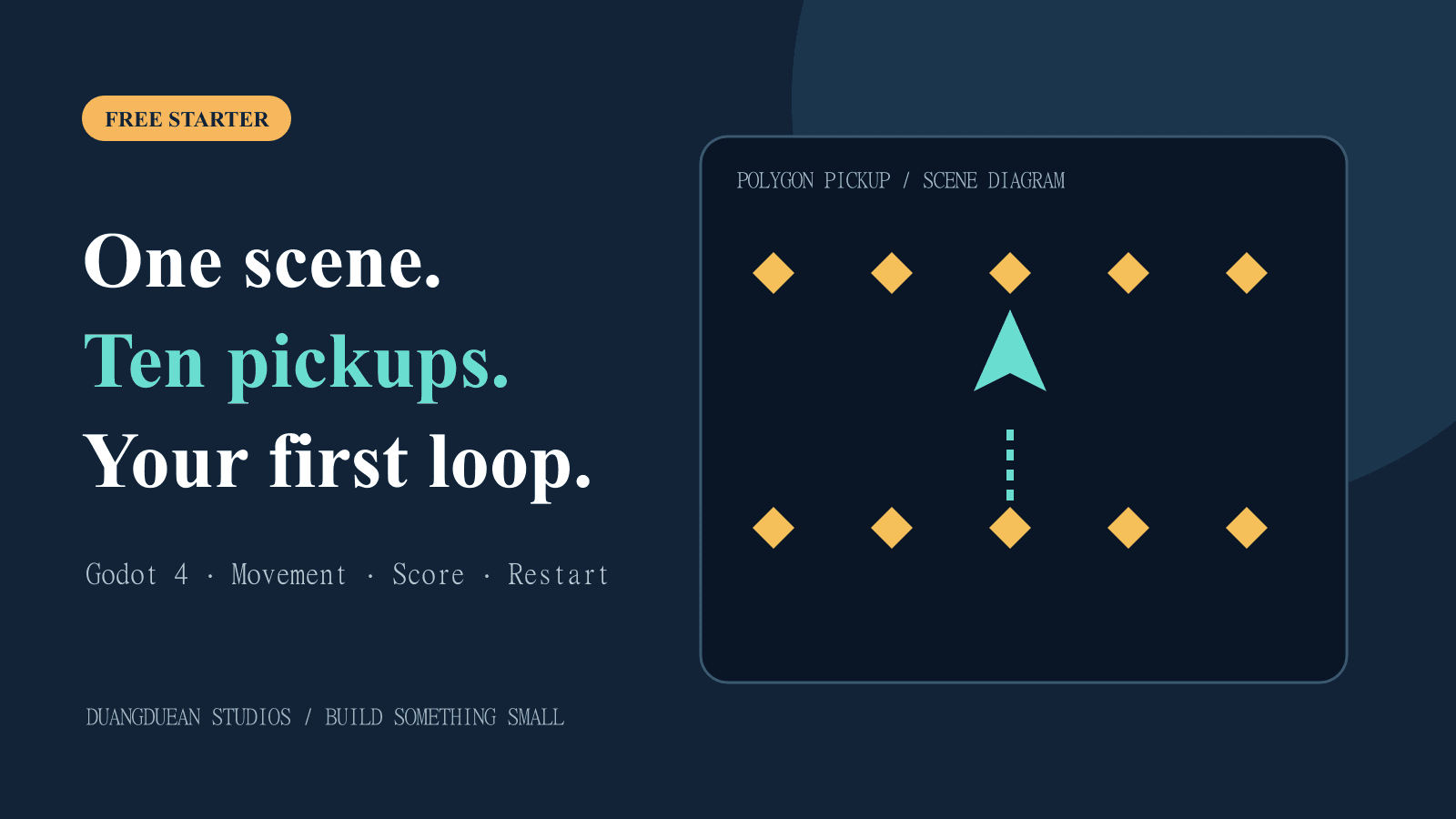
Our original Polygon Pickup starter keeps that loop in one scene and one script. It is a small keyboard-controlled 2D prototype, rather than a finished platformer. You can inspect every moving part before adding more systems.
Download the complete Godot project
Download the free Godot pickup starter ZIP. The pack includes project.godot, main.tscn, main.gd, a README and a CC0 licence. You can use and modify this original starter in personal or commercial projects without attribution. The files are provided without warranty.
The starter has been checked locally with Godot 4.7.2: movement, pickup collection, score updates and completing the ten-pickup level passed. It uses the Compatibility renderer and does not need plugins, an API key or external art.
Import it and play
- Extract the ZIP into its own folder. Do not try to import the compressed archive as a scene.
- Open the Godot project manager and choose Import.
- Select the extracted
project.godotfile, then open the project. - Allow Godot to finish importing the project files.
- Press F5 to run the configured main scene.
- Use the arrow keys to move the ship. Collect all ten yellow diamonds. Press R to restart.
This project is built around a keyboard. It does not include touch buttons or a mobile export preset. Those are useful next steps after the desktop loop works.
How movement works
The main script extends Node2D. Its player position is a Vector2, and Godot's built-in UI input actions read the arrow keys:
var direction := Input.get_vector(
    "ui_left", "ui_right", "ui_up", "ui_down"
)
player += direction * 260 * delta
Multiplying speed by delta makes movement depend on elapsed time rather than the number of frames drawn. The script then clamps the position to the play area, leaving room for the score text at the top.
This is position-based movement for a simple prototype. It does not use a physics body or resolve collisions against walls. If your next level needs solid obstacles, move that responsibility into a suitable physics-based controller rather than adding more position clamps.
How pickups become points
Each pickup is another position in an array. During an update, the script checks whether the player is within 26 pixels of it. A collected pickup is removed and the score increases by one.
The array is visited backwards while removing pickups. That matters: removing an entry shifts later entries, so a forward loop can accidentally skip the next item. With ten collectibles, a straightforward distance check is easy to understand and sufficient for this scene.
The ship, diamonds and score are drawn in _draw(). queue_redraw() requests a refreshed picture after the game state changes. Keeping this version free of imported art makes it easier to see the difference between the state of the game and how that state is displayed.
Make one small change at a time
Try these in order:
- Change the movement speed from 260 to another value and replay the level.
- Rearrange the pickup positions to make a route worth planning.
- Add a timer that stops when the pickup array is empty.
- Add a second layout and a visible Next level button.
- Replace the drawn ship and diamonds with sprites from the free polygon sprite kit.
Godot supports SVG image imports, which are normally rasterized during import. If a sprite does not look right, inspect its import settings and the engine's supported image formats documentation.
Troubleshooting the first run
The game does not open: check that you imported project.godot and that main.tscn and main.gd remain beside it. The configured main scene is res://main.tscn.
The arrow keys do nothing: click the game window so it has keyboard focus. This starter uses the built-in UI actions, not WASD bindings.
I want enemies and a larger scene structure: Godot's official first 2D game tutorial is a useful next step for learning how separate scenes, enemies and a HUD work together.
When the small loop feels good, stop adding features for a moment and ask someone else to try it. Can they understand the objective, finish a run and restart without instructions from you?
For inspiration, play the studio's browser games. To explore what a chasing enemy might do next, try the interactive AI Lab.
Cover illustration: an original diagram of the starter's movement, pickups and score loop.
Frequently asked questions
Is the Godot 4 pickup starter project free to use?
Yes. Polygon Pickup is released under a CC0 licence, so you can use and change it in personal or commercial projects without attribution. It is provided without warranty.
How do I open the starter project in Godot?
Extract the ZIP into its own folder, open the Godot project manager, choose Import, select the extracted project.godot file, let Godot finish importing, then press F5. Move with the arrow keys, collect the ten diamonds and press R to restart.
Which Godot version does the starter work with?
It was checked with Godot 4.7.2 using the Compatibility renderer. It needs no plugins, API key or external art.
Why does the movement code multiply by delta?
Multiplying speed by delta makes movement depend on elapsed time instead of how many frames are drawn, so the ship moves at the same speed on fast and slow computers.